How to Use VidIQ to Grow Your E-commerce YouTube Channel
Using VidIQ isn't just about adding another tool; it's about embedding a powerful data co-pilot directly into your YouTube experience. The whole process starts with installing a simple browser extension and linking your channel. From that moment on, the real-time VidIQ Scorecard starts analyzing every video you see, pulling back the curtain on YouTube's algorithm and giving you concrete insights to grow.
Getting Started with VidIQ for Your Store
If you're selling products online, you already know YouTube is a goldmine. It’s not just a video platform—it's one of the biggest product search engines in the world. People are constantly searching for reviews, how-to guides, and unboxing videos for products just like yours. VidIQ is designed to be your guide in that world, helping you create the content that answers those searches and ultimately drives traffic to your store.
The setup is quick and painless, designed to get you from zero to analyzing data in just a few minutes.
Once you have it installed, the first thing you’ll probably notice is the Scorecard popping up next to every video on YouTube. This is your first peek into what makes certain videos successful. It gives you a quick SEO score, a look at the keywords they're targeting, and an optimization checklist. For a Shopify or TikTok Shop owner, this is huge.
Let's say you're researching a new product to add to your store. A quick search shows you the top videos, and VidIQ's Scorecard immediately reveals the exact tags and performance stats they’re using to get all that attention.
Your Launchpad for E-commerce Success
Think of this initial setup as pouring the foundation for a truly data-driven content strategy. We're not just chasing views here; we're chasing the right views—the ones from people who are ready to buy.
Of course, VidIQ is just one piece of the puzzle. As you get more advanced, you might want to explore other top YouTube SEO tools to build an even more robust strategy. The main takeaway is to start using the data right away to make smarter decisions.
Here’s a quick look at the core features you’ll find yourself using from day one:
- Keyword Inspector: This helps you find high-volume, low-competition search terms related to your products. Think "best budget drone for beginners" instead of the super-competitive term "drone."
- Competitor Analysis: You can easily track what's working for other brands in your space, spotting their viral hits and identifying content gaps you can swoop in and fill.
- Real-time Scorecard: This gives you an instant health check on any video—including your own—to see what’s working and what needs a tune-up.
For anyone selling products with video, VidIQ offers a set of tools that directly translates into better content and more sales. Here's a quick summary of how its key features apply to your store.
Key VidIQ Tools for E-commerce Sellers
| Feature | Primary Use Case for E-commerce |
|---|---|
| Keyword Research | Discover what potential customers are searching for. Find terms like "product review," "unboxing," or "how to use [your product]." |
| Competitor Tracking | See which videos are driving traffic for your direct competitors and learn from their successful (and unsuccessful) content. |
| Tag Suggestions | Optimize your product videos with relevant tags to appear in suggested videos and search results, reaching a wider audience. |
| Trend Alerts | Get notified about trending topics in your niche, allowing you to create timely content that capitalizes on current interest. |
These features are your starting point for turning YouTube from a simple video host into a predictable customer acquisition channel for your e-commerce business.
My biggest tip for new users? Spend your first hour just browsing. Seriously. Look at your own videos, your competitors' content, and the top-performing videos in your industry. You’ll start seeing patterns in titles, tags, and descriptions almost immediately that you can put to use right away.
Finding Profitable Keywords for Your Products
If you're in e-commerce, your success on YouTube comes down to a simple, non-negotiable truth: you must target what your customers are actually searching for. It doesn't matter how great your product video is if it never shows up in front of someone ready to buy. This is exactly where getting a handle on VidIQ's keyword tools can completely change the game for your store.
Forget trying to rank for huge, generic terms. That's a recipe for getting lost in the noise. The real goal is to dig up profitable, low-competition keywords that scream "I'm about to make a purchase." Think about the difference between someone searching for "keyboard" versus "best silent mechanical keyboard for office." The second search is pure gold, and those are the ones that drive sales.
Uncovering Hidden Gem Keywords
Your go-to tool for this mission is VidIQ’s Keyword Inspector. Start by plugging in a broad "seed" keyword, something like "kitchen gadget," and watch it open up a world of related terms. The number you really want to watch is the Keyword Score. This is VidIQ's secret sauce, balancing how many people are searching for a term against how much competition there is. A high score is your sweet spot.
The real discovery happens in the "Related Keywords" and "Matching Terms" tabs. This is where you'll find long-tail keywords and content ideas your competitors have completely overlooked. For instance, while everyone else is battling over "air fryer," you might find that "best air fryer for small apartment" has a fantastic score and speaks directly to your ideal customer.
The key is to start thinking like your customer. What problem does your product solve? Center your keyword research around those solutions, not just the product's name. That mental shift is what helps you find keywords that pull in motivated buyers.
This quick decision tree visualizes those first crucial steps you'll take with the tool.
As you can see, connecting your channel right away is the fastest path to unlocking all the powerful analytics, while exploring without a connection gives you more of a general feel for the platform.
A Real-World Shopify Scenario
Let's make this practical. Imagine you're about to launch a new portable coffee maker on your Shopify store. Trying to rank for a generic keyword like "coffee maker" is a losing battle from the start.
Instead, you fire up VidIQ and start digging into the niche angles. You might quickly uncover terms like:
- "Portable espresso maker for camping" (Low Competition)
- "Single-serve coffee maker no pods" (High Purchase Intent)
- "Wacaco Minipresso vs AeroPress Go" (Comparison/Review Focus)
Creating videos specifically targeting these keywords attracts a much more qualified audience. These aren't just casual browsers; they're people deep in the research phase, on the verge of making a decision.
This strategy is incredibly powerful when you consider the sheer scale of YouTube. By 2025, the platform is projected to have between 2.53 and 2.85 billion monthly active users. Tools like VidIQ are essential for slicing through that massive audience to find your people. The latest updates are even getting better at identifying "nano-keywords"—think 'Shopify hidden gems'—which might have fewer searches but practically zero competition.
To give your video an extra discovery boost, don't forget about hashtags. Layering in the best YouTube hashtags by niche on top of your solid keyword strategy is a great way to help the algorithm understand your content and show it to the right viewers.
Using the VidIQ Scorecard to Optimize Every Video
Hitting "publish" on a video without optimizing it is a huge gamble. It's like launching a new product with zero marketing—you're just hoping people find it. This is exactly where the VidIQ Scorecard comes in, acting as your real-time feedback panel right next to every YouTube video.
Think of it as an instant diagnostic check. It shows you what’s working, what's missing, and what you need to do to give your video a fighting chance. It’s less about a vanity score and more about a practical roadmap for getting your content seen by the right people.
Decoding the Overall SEO Score
The first thing that grabs your eye is the big VidIQ Score—a number out of 100. This isn't just a random grade; it’s a quick summary of how well a video is set up to be discovered through search. It’s a mix of performance data and actionable optimization checks.
When you're researching, a competitor's video with a low score is basically an open invitation. It's a clear signal that you can create something better on the same topic and outrank them. On the flip side, a high score on your own video is a great confirmation that you’ve done your homework. For e-commerce creators, a high score means your product videos are far more likely to show up when someone is ready to buy.
The VidIQ Scorecard is your secret weapon for reverse-engineering success. Before you even start outlining your next video, look at the scorecards of the top three ranking videos for your target keyword. You'll immediately see the exact tags, title structure, and description length that are already winning.
Using the Actionable Checklist for Perfect Optimization
Right below the main score, you'll find the Video Optimization Checklist. This is where the magic really happens. It’s a simple, no-nonsense list that breaks down every element contributing to your score.
This checklist gives you a direct look into what the YouTube algorithm values.
The visual guide with its green checkmarks makes it incredibly easy to see what you've done right and what still needs attention. It covers the simple but powerful steps that many creators forget, like adding a video to a playlist or sharing it on social media.
This checklist nudges you to handle the small details that can have a surprisingly big impact on your video's reach and click-through rate (CTR).
It's essentially a pre-flight check for your video:
- Title: Is it the right length? Does it include your main keyword?
- Tags: Have you used enough of them? Is your keyword in the tags?
- Description: Are your keywords included naturally? Did you add any links?
- Cards & End Screens: Are you prompting viewers to watch another video?
Every green check you earn is a small victory that contributes to a stronger, more discoverable video. It transforms optimization from a vague, abstract idea into a concrete, repeatable process. For every product video or ad creative you upload, running through this list is the best way to ensure you've given it every opportunity to succeed and drive customers to your store.
Analyzing Competitor Strategies to Win Your Niche
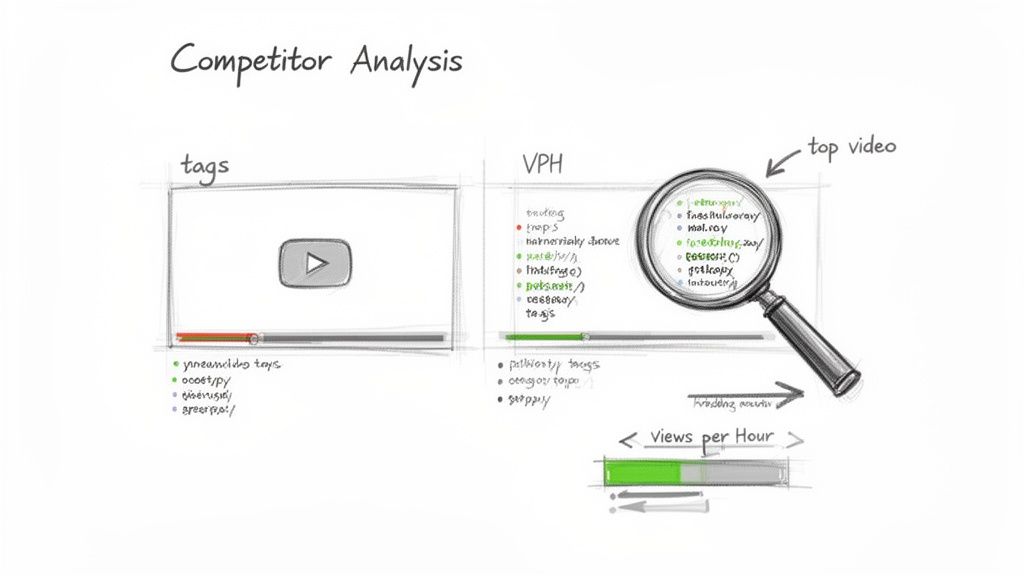
Think of your competitors as an unintentional research team. They're constantly testing what works, and with VidIQ, you can look over their shoulder to see the results. This isn't about mindless copying; it's smart reconnaissance to figure out what’s already clicking with your target audience.
The easiest place to start is with the top-ranking videos for your main product keywords. Click on one, and the VidIQ Scorecard immediately shows you the exact video tags they’re using. This is a goldmine of information, revealing the long-tail keywords and specific phrases that are getting them discovered.
Spotting Trends with Views Per Hour
One of the most potent metrics that many creators overlook is Views Per Hour (VPH). This simple number shows you a video's current momentum. If a video has a high VPH, it means the YouTube algorithm is actively pushing it right now.
For an e-commerce seller, seeing a competitor's product video with a skyrocketing VPH is a huge signal. It points to a trending product or an angle that's really connecting with viewers. You can jump on this insight and create your own, improved version of that content before the trend dies down.
Deconstructing Your Competitors' Success
Beyond just looking at individual videos, VidIQ’s "Competitors" tool lets you build a dedicated dashboard to track specific channels. This is where you get the bigger picture of their overall strategy and growth.
Once you’ve added a few key competitors, you can:
- Track Their Growth: See their subscriber and view counts climb (or fall) over time, giving you a real sense of whether their strategy is working.
- Pinpoint Breakout Videos: Instantly spot which of their recent videos are outperforming the rest. This gives you a proven template for what your audience wants to see.
- Analyze Their Patterns: Do they post on certain days? Use a particular title format? Focus on unboxings over tutorials? These patterns reveal their playbook.
This isn't about becoming a carbon copy of your competition. It's about data-driven inspiration. See a successful video? Ask yourself: How can I go more in-depth? Can I create a better thumbnail? Could I tackle this from a slightly different keyword angle?
This level of analysis is more critical than ever. Back in 2012, YouTube had around 0.8 billion users. By 2025, that figure is expected to reach 2.70 billion—a massive 237.5% increase. With this explosion of both creators and viewers, using tools like VidIQ for competitive analysis is no longer a "nice-to-have" for e-commerce pros; it's essential for standing out. You can dive deeper into these YouTube user statistics from Global Media Insight.
Ultimately, your competitors are doing the heavy lifting for you. They're spending their own time and money testing topics, titles, and thumbnails. By analyzing their results with VidIQ, you can sidestep the guesswork and focus your efforts on creating content that is practically engineered to perform better, attract more qualified viewers, and drive more sales for your store.
Advanced VidIQ Features to Drive Sales
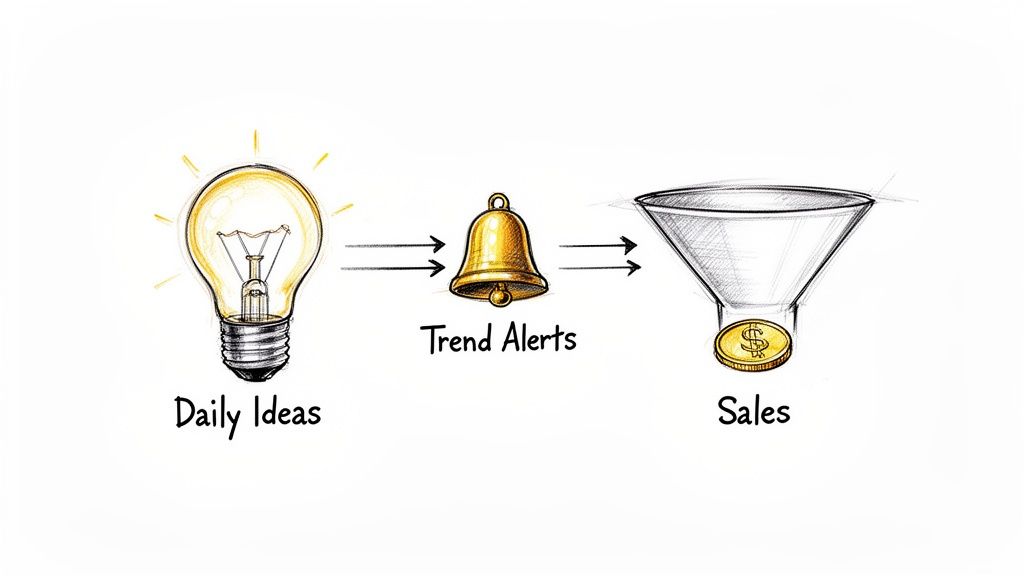
Once you've got the basics down, it's time to connect your YouTube efforts directly to your bottom line. This is where you move past simply optimizing for views and start building a real sales engine with the more powerful features inside VidIQ. It's about shifting from a reactive approach to a proactive one—anticipating trends and making your channel a core part of your e-commerce sales funnel.
Instead of just hoping for inspiration to strike, you can let VidIQ’s AI tools point you toward data-backed content ideas. The end game is to create a steady stream of videos that don't just rank well but also connect with viewers who are ready to make a purchase.
Let AI Fuel Your Content Calendar with Daily Ideas
Coming up with fresh video ideas can be a grind, especially when you feel like you've covered your products from every possible angle. That's where VidIQ's Daily Ideas tool comes in. Think of it as a creative partner that analyzes your channel, your niche, and what's currently trending to serve up new video topics every single day.
For an e-commerce brand, these aren't just random, off-the-wall suggestions. The AI is trained to spot opportunities that are directly relevant to your products and what your audience cares about.
- Predictive Suggestions: For instance, it might recommend a "product A vs. product B" showdown if it notices that comparison-style videos are getting traction in your space.
- Customized for You: Every idea is tagged with a predictive view rating (Very High, High, or Medium), letting you instantly see which topics have the highest potential for success.
- Save and Plan: You can save the ideas you like to a list, which makes mapping out your content calendar for the next few weeks incredibly simple.
This tool helps you build a planned, strategic content schedule that’s directly tied to your sales objectives.
The real power of Daily Ideas is its ability to break you out of a creative rut. When you're deep in your own product world, it's easy to miss obvious content angles that a potential customer would find incredibly valuable. This tool serves those up on a silver platter.
Capitalize on Trends Before They Peak
In e-commerce, timing is everything. Catching a product trend just a couple of weeks early can be the difference between owning a new market and just fighting for the leftovers. VidIQ's Trend Alerts feature is built to give you that crucial head start.
You can set up custom alerts for keywords tied to your products or industry. As soon as VidIQ’s algorithm picks up on a sudden spike in search volume or views for that keyword, it shoots an email straight to your inbox.
Imagine you sell smart home gadgets. You could set an alert for "new smart display." The moment a new device is announced and search interest explodes, you'll know. This gives you the chance to be one of the first creators with an unboxing video, a detailed review, or a setup tutorial, capturing a huge wave of traffic from early adopters.
Fine-Tune Your Ad Campaigns with Keyword Data
The keyword data in VidIQ isn't just for organic growth; it's a goldmine for your paid YouTube ad campaigns. Before you spend a single penny on ads, you can jump into the Keyword Inspector to validate your targeting strategy.
Your goal is to find keywords with solid search volume but, more importantly, strong commercial intent. Look for phrases that include words like "review," "best," "top 5," or specific competitor brand names. These are clear signals that the searcher is deep in the buying cycle.
By targeting these high-intent keywords with your video ads, you're putting your marketing dollars in front of an audience that's already primed to buy. This directly improves your return on ad spend and drives more qualified traffic to your store.
Your Top VidIQ Questions, Answered
Jumping into a new tool always brings up a few questions, and when you're trying to grow an e-commerce brand, your time is money. You need to know how to get the most out of VidIQ without it turning into just another dashboard you have to check.
Let's dive into some of the most common questions I hear from fellow store owners.
Which VidIQ Plan Is Right for My Store?
This is usually the first thing people ask. If you're running a solo operation or a small Shopify store that's just getting its feet wet with YouTube, the Pro plan is almost always the right call. It gives you the powerful keyword and competitor research tools you actually need, without the bigger price tag of the Boost plan.
You can always scale up later as your channel grows. The trick is to match the tool to your current reality, not your five-year plan.
How Much Time Do I Really Need to Spend on VidIQ Each Day?
I get it, you're busy packing orders and running ads. You don't have hours to spend analyzing YouTube data. And you don't need to.
The key isn't about how long you spend in the tool, but how smart you are with that time. Here’s a realistic routine that works:
- Daily Check-in (15 minutes): Hop in, check your Daily Ideas for a spark of inspiration, and take a quick look at how your last video is performing. Are there any comments you can jump on? This keeps the momentum going.
- Weekly Strategy Session (1 Hour): Block out a solid hour. This is your time for deep-dive keyword research for your next couple of videos. It's also the perfect time to peek at what your competitors are doing and see what’s working for them.
This approach keeps you on track with a data-informed strategy without letting it take over your entire week.
Expert Tip: Think of VidIQ as your compass, not your map. It points you toward opportunity, but you still have to bring your brand's personality and product knowledge to the party. That's what makes your content unique.
My VidIQ Score Is Low—What’s the First Thing I Should Fix?
This one's a classic. If you're staring at a low score, don't panic and try to change everything at once. Go straight for the low-hanging fruit: your title and tags.
These two elements have the biggest and most immediate impact on whether YouTube shows your video to new people. Fire up the Keyword Inspector, find a more potent primary keyword, and make sure it’s right at the front of your title. Then, pack your tags section with at least 15 solid, relevant tags, mixing broad terms with more specific long-tail phrases.
Should I Bother Using VidIQ for Unlisted Product Videos?
What about those videos embedded on your Shopify product pages? They aren't meant for public discovery, so does VidIQ matter?
While SEO isn't the main goal, you can still get value here. Use the thumbnail generator to create a sharp, professional-looking preview image. A better thumbnail can absolutely boost engagement and watch time right on your product page, which might just be the nudge a customer needs to click "Add to Cart."
For growing e-commerce teams who want to get more bang for their buck, EcomEfficiency bundles premium tools into one subscription. You can get access to VidIQ plus over 50 other essential apps for marketing, research, and ad creation. Check out the full suite at https://ecomefficiency.com.