A Practical Guide to One Hour Indexing
Yes, getting your new content indexed in one hour is entirely possible. It's not just a vanity metric; it’s a critical skill in modern SEO. Waiting around for days, hoping Google eventually stumbles upon your page, means you're losing out on traffic and letting competitors get the first bite. The secret is to ditch the old "publish and pray" mindset and adopt a proactive, strategic submission process.
The goal is to scale without dubious shortcuts and without hurting your credibility.
Why Slow Indexing Is Killing Your Traffic
In any competitive niche, speed is your secret weapon. Every moment your new blog post, product page, or freshly built backlink is invisible to Google is a moment of lost opportunity.
This is especially true for time-sensitive content. Think about a post reacting to a breaking news story, a new product drop, or a flash sale. If that content isn't indexed almost immediately, it might as well not exist during that critical window when everyone is searching for it.
Here’s a real-world scenario I see all the time. A tech blog drops a killer review of a brand-new smartphone. If they get it indexed within the hour, they can ride the massive wave of search interest and pull in thousands of visitors. But if a competitor publishes a similar review at the same time and has to wait 48 hours for Google to find it? They’ve completely missed the boat.
The Real Cost of Indexing Delays
The damage isn't just about a single article. Consistent, slow indexing sends a bad signal to Google. It can have a snowball effect, negatively impacting your site's authority and overall traffic. On the flip side, when Google's crawlers learn that you consistently publish fresh, valuable content, they'll start visiting your site more frequently.
This principle is also a huge part of any successful link-building campaign. Backlink indexing is what gives your links power and helps boost your site's visibility and PageRank. With organic search still being the number one traffic source for most websites, you can't afford to leave the effectiveness of your backlinks to chance.
Taking Back Control
Thankfully, you're not powerless here. You have direct tools to nudge Google and get them to act faster. Google even gives you a button for it right inside Google Search Console.

This little "Request Indexing" button is your direct line to Google's crawlers. It’s you telling them, "Hey, I've got something new and important over here." While it’s not a magic wand for instant indexing, it’s the absolute first step in slashing that wait time from days down to hours—or even minutes.
Your Pre-Indexing Quality Checklist
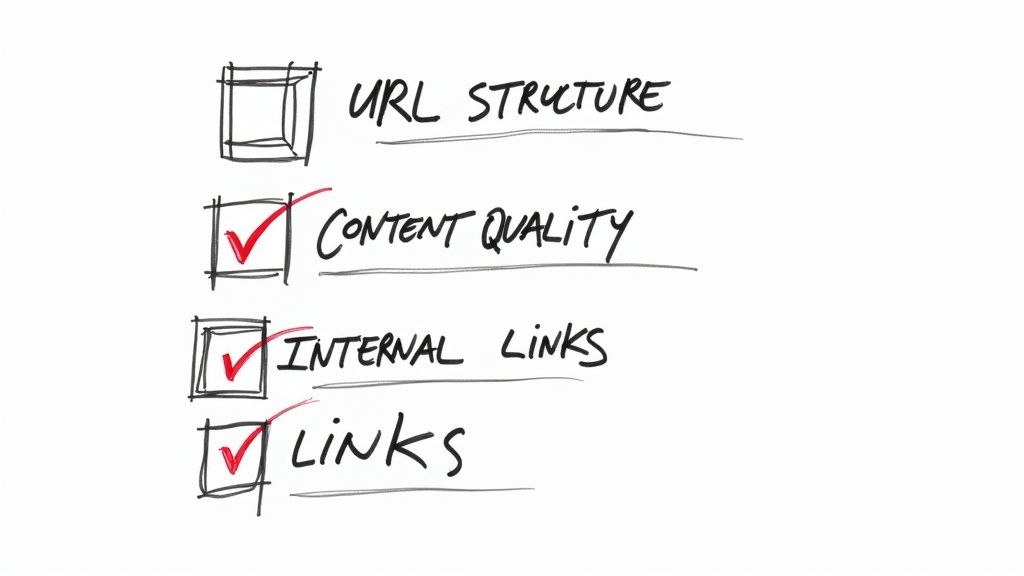
Before you even dream of hitting that one-hour indexing mark, we need to have a frank conversation about the page you're trying to submit. Is it actually worth Google’s time?
Trying to force a low-quality, technically broken, or thin page into the index is a total waste of your time and, more importantly, your crawl budget. It’s like asking a Michelin-star chef to critique a microwave dinner.
This isn’t about just checking off boxes. It’s about making Google’s job so ridiculously easy that indexing your content becomes a foregone conclusion. Think of it as rolling out the red carpet for Googlebot.
Is the Content Genuinely Valuable?
First things first: does your content bring something new to the table? A rehashed version of what’s already ranking on page one just isn’t going to fly. You need a unique angle, fresh data, or an expert perspective that no one else is offering.
Run your page through this simple, honest gut check:
- Does this actually solve the user's problem better than anyone else? Don't just give generic advice. Offer specific, tangible solutions.
- Is there anything original here? I'm talking custom graphics, new stats from a survey you ran, or a detailed case study. These things make a page stand out.
- Does it sound like a real expert wrote it? Google's getting smarter about recognizing content that screams deep, hands-on experience.
Submitting a page that's just a pale imitation of existing content is the fastest way to land in the dreaded "Crawled - currently not indexed" graveyard. Google’s whole system is built to weed out this kind of redundancy.
My Two Cents: I always aim to create a page that another expert in my niche would feel compelled to link to. If you hit that bar, you can bet Google will recognize its value and fast-track it for indexing.
Is It Technically Sound and Easy to Access?
Once you're confident in the content, it’s time for a quick technical once-over. The most brilliant article in the world won't get indexed if Googlebot can't get to it or if you've accidentally told it to stay away.
Start with the most common offender: the noindex tag. A single line of code—meta name="robots" content="noindex"—in the <head> of your page is an absolute dealbreaker. View your page's source code or use your favorite SEO tool to make sure the page is set to index.
While you're at it, confirm the page returns a 200 OK status code. Any redirects (like a 301) or errors (like a 404) are obvious roadblocks to indexing.
Are Your Internal Links and URL Sending the Right Signals?
The way you link to your new page from elsewhere on your site tells Google how important it is. A brand-new page with zero internal links is an orphan. It's an island that crawlers will struggle to find and will likely assume isn't very important.
- Link From Your Power Pages: Find a top-ranking article or your homepage and add a link to your new content. This acts like an endorsement, passing authority and telling Google, "Hey, this new page matters."
- Keep Your URL Clean: The URL itself is a signal. It needs to be short, readable, and contain your main keyword. A slug like
/one-hour-indexing-guideis infinitely better than something cryptic like/p?id=12345.
Let's say you just launched a new service page. By linking to it from your main "Services" menu and from a high-traffic blog post on a related topic, you've given Googlebot two clear paths to discover it. This move alone can drastically speed up indexing.
Mastering Manual Indexing Workflows
When you've just published a critical page and need it indexed now, sitting back and waiting for Google to find it isn't an option. You have to be proactive. Getting your hands dirty with a manual workflow is the most dependable way to get on Google’s radar, and that process always starts with your best friend for one hour indexing: Google Search Console.
The URL Inspection tool is your direct hotline to Google. Sure, pasting in your URL and hitting "Request Indexing" is the basic move, but the real art is in reading the tea leaves of Google's feedback. It’ll tell you straight up if your page has mobile-friendliness issues, is blocked by robots.txt, or has other technical gremlins holding it back.
Interpreting GSC Coverage Reports
Hitting that request button is just the beginning. You have to understand what Google is telling you back. Seeing a "URL is not on Google" status is your green light to request indexing. But a status like "Crawled - currently not indexed" points to a completely different beast—usually a content quality problem, not a technical one.
Getting good at diagnosing these issues inside GSC is a non-negotiable skill for any serious SEO. It changes the tool from a simple submission form into a full-blown diagnostic dashboard, showing you exactly why a URL is getting the cold shoulder.
I see this all the time: people hammering the "Request Indexing" button for a page that has a clear error. Don't do that. Use GSC's feedback to fix the actual problem first. Resubmitting a broken page repeatedly just wastes your time and Google’s crawl budget.
Expanding Your Manual Workflow
A solid manual workflow doesn't stop with GSC. You need to send supporting signals to get Google's attention from multiple angles. After you've used the Inspection tool, your very next step should be updating and resubmitting your XML sitemap. This action reinforces the page's importance and its place within your site's architecture.
You'd also be surprised how effective a little nudge from social media can be. Sharing your new URL on an active Twitter or LinkedIn profile often gets Googlebot to show up faster than just waiting for it to be found. Crawlers are known to follow links from high-authority social platforms, making this a simple but potent tactic.
Think of it as a one-two-three punch that creates a sequence of positive signals:
- Direct Request: You tell Google directly to look at the page using the URL Inspection tool.
- Structural Confirmation: You verify the page's role in your site by updating the sitemap.
- External Discovery: You give Googlebot fresh paths to find your URL through social media.
This chart breaks down the kind of speed you can generally expect from each of these manual methods.
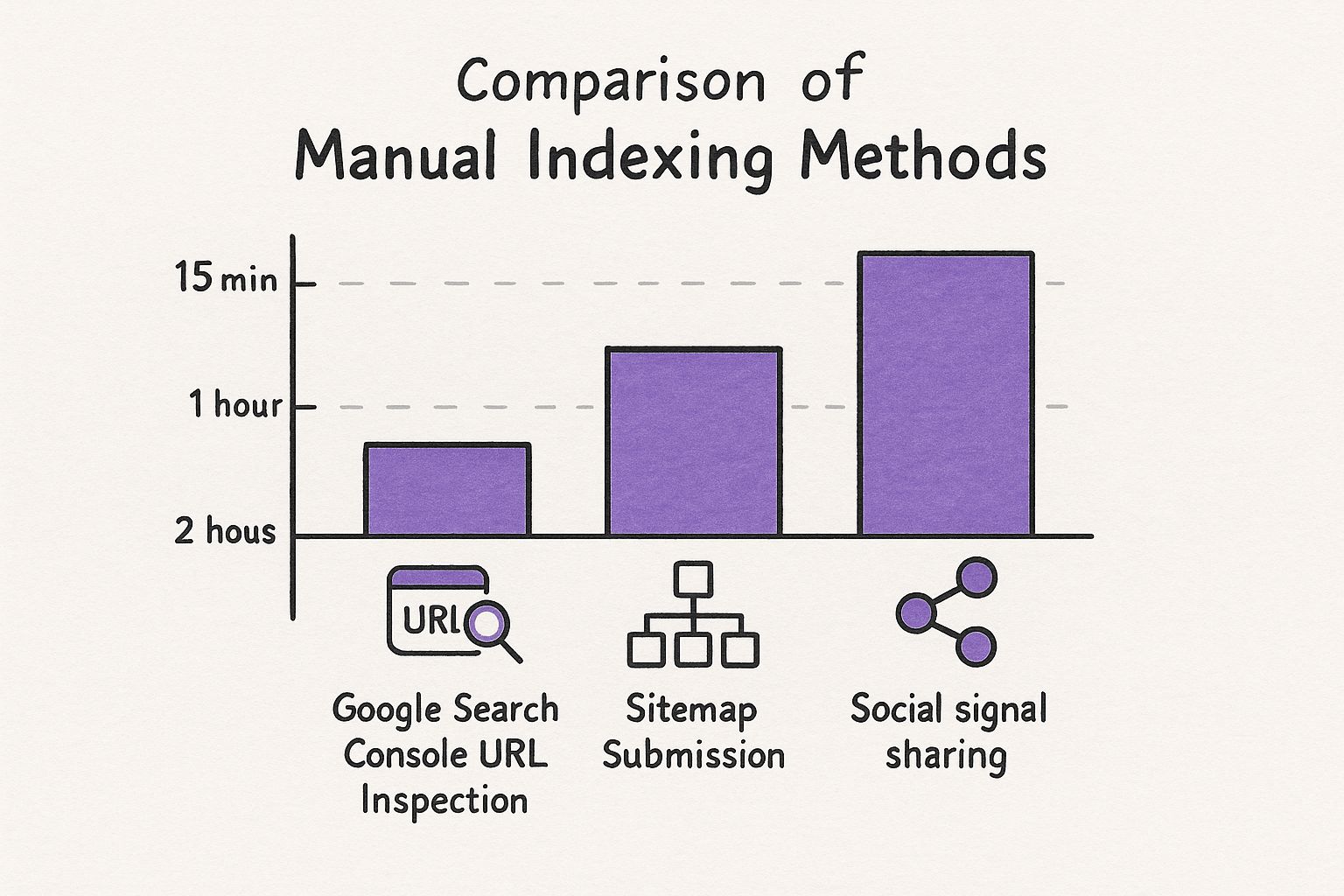
As you can see, a direct request through Google Search Console is the undisputed champion for speed. But when you layer all three methods together, you create a powerful strategy that dramatically increases your odds of getting that page indexed fast.
Using Third-Party Tools for Rapid Results
Let's be real—manual methods have their place, but they just don't scale. If you're managing a major content launch or a successful link-building campaign, submitting URLs one by one through Google Search Console is a recipe for frustration. It's just not practical.
This is exactly where third-party indexing services come into play, becoming a crucial part of your strategy for achieving that coveted one hour indexing. These tools are built for one job: getting a massive number of URLs in front of Googlebot, fast.
They're especially powerful for getting newly acquired backlinks noticed by Google. After all, what’s the point of a great backlink if Google never sees it? An unindexed link is essentially worthless.
How Do These Indexing Tools Actually Work?
You might be wondering what's going on behind the scenes. Most of the good services don't rely on a single trick. Instead, they create a web of signals that Google’s crawlers are built to follow, using a combination of tactics.
- Pinging Protocols: While old-school, pinging is still used as part of a larger strategy to notify various web services that new content has popped up.
- Private Blog Networks (PBNs): The tool posts links to your URLs across a network of established websites that Googlebot already visits regularly. When a crawler hits one of these sites, it discovers your link and follows it back to your page.
- Redirect Chains: Some services create a series of temporary redirects that effectively guide crawlers straight to your target URL, leaving a clear trail for discovery.
Think of it this way: your new URL is like a house in a brand-new neighborhood with no roads. These services essentially build a dozen brightly lit highways from the busiest parts of the internet directly to your front door. It becomes almost impossible for Google's crawlers to miss it.
By tapping into these established networks, the tools essentially "borrow" crawl priority from thousands of other sites and point it directly at your URLs. It’s a clever way to jump the queue and force Google to discover your content.
Speed and Efficiency When It Matters Most
The biggest advantage here is pure, unadulterated speed. Picture an agency that just landed 100 high-quality backlinks for a major client. Manually checking and submitting each one would be a mind-numbing task that could take days. An indexing tool lets them upload a single list of URLs and get back to more important work.
And this efficiency delivers real results. For example, our own tests show impressive outcomes, with indexing rates hitting 17% to 23% in the first hour. That number jumps to between 37% and 74% within 24 hours for a batch of 5,000 links. You can dig into the complete data from these indexing findings. For anyone doing SEO at scale, that kind of performance is a serious advantage.
Naturally, this kind of power comes at a price. Most services charge per URL or via a monthly subscription. But when you weigh that cost against the man-hours saved and the value of getting pages and backlinks recognized weeks or even months sooner, the return on investment is usually a no-brainer.
Manual vs. Automated Indexing Methods
Deciding between manual and automated methods really comes down to your specific needs—scale, speed, and budget. Here's a quick breakdown to help you choose the right approach for your situation.
| Method | Best For | Speed | Cost | Scalability |
|---|---|---|---|---|
| Google Search Console | A few high-priority URLs, new pages, or content updates. | Slow to moderate (hours to days) | Free | Very Low |
| Google Indexing API | Job postings and live stream URLs (as officially supported). | Very Fast (minutes to hours) | Free | High |
| Third-Party Tools | Bulk URLs, backlink campaigns, and large-scale content projects. | Fast (often within 24 hours) | Paid (per URL or subscription) | Very High |
| Sitemap Submission | Informing Google of all your site's URLs for regular crawling. | Slowest (days to weeks) | Free | High |
Ultimately, a smart SEO strategy often uses a mix of these methods. You might use GSC for a critical new blog post, while a third-party tool handles the 500 backlinks you just built. Knowing when to use each tool is key to an efficient and effective indexing process.
Troubleshooting Common Indexing Roadblocks
Even with the perfect submission strategy, some pages just seem to play hard to get. You’ve double-checked for obvious noindex tags and everything looks right, but your URL is still ghosting Google. When this happens, it’s time to look past the basic technical checks and start thinking like a search engine.
Often, these stubborn indexing problems aren't about a single line of code. They’re about how Google perceives your page's quality and where it fits within the larger structure of your site. Let's dive into the most common culprits that can derail your one hour indexing goal.
https://www.youtube.com/embed/yzNo7jJ8WBE
Is Google Seeing Thin or Duplicate Content?
One of the most frequent reasons a page languishes in the dreaded "Crawled - currently not indexed" pile is simple: Google just doesn't think it's worth the effort. From Google's perspective, if a page doesn't add unique value to the web, there's no point in adding it to the index.
This usually comes down to two issues:
- Thin Content: The page is sparse. Maybe it lacks sufficient text or just rephrases what a dozen other sites have already said. Google rewards unique, helpful content, not another echo in the chamber.
- Accidental Duplication: This is a sneaky one. Your content management system might be generating multiple URL versions for the same page (think URLs with and without a trailing slash, or with different tracking parameters). Without a solid canonical tag pointing to the master version, Google gets confused and might just decide to index none of them.
The fix starts with a reality check. Pull up your page and compare it to what’s already ranking on page one for your target keyword. Are competitors offering more depth, better data, or a more engaging experience? Be honest. If they are, you know what you need to do. Beef up your page with expert insights, original research, or custom graphics to signal its unique value.
A Quick Real-World Example: I once had a key product page that just wouldn't get indexed. It was infuriating. The fix? I added a detailed FAQ section built from actual customer support tickets and embedded a quick video showing the product in action. After I resubmitted it, Google indexed it in less than 24 hours. The added value was undeniable.
Are Crawl Budget and Site Architecture to Blame?
Sometimes the page itself is perfectly fine, but Google is having a hard time finding it or figuring out how important it is. This is where your crawl budget comes into play. Googlebot only has so much time and so many resources to spend crawling your site. A messy site structure forces it to waste that budget.
Think of it this way: if a new page is buried six clicks deep from your homepage, you’re basically telling Google it’s not a priority. This is a massive problem, especially for bigger websites with thousands of pages.
To get back on track, focus on two key areas:
- Smart Internal Linking: Make sure your shiny new content gets an internal link from one of your site's powerhouses, like the homepage or a top-performing blog post. This creates a superhighway for crawlers and passes along a vote of confidence.
- Clean Up Conflicting Signals: Check your signals. A classic mistake is setting a canonical tag that points to URL A, but then listing URL B in your XML sitemap. This kind of mixed messaging makes Googlebot pause, and that hesitation can be enough to leave your page out of the index.
By tidying up your site architecture, you make it incredibly easy for Google to do its job. A clear path is a fast path to getting found, crawled, and ultimately, indexed.
Your Top Questions About Fast Indexing Answered
Even with the best strategy laid out, you're bound to have questions. Getting content indexed fast can feel like a moving target, so let’s tackle some of the most common ones I hear. Clearing these up will help you move forward with confidence and sidestep those frustrating roadblocks.
The whole point is to get your content in front of Google quickly and consistently. Let's turn that uncertainty into a reliable system.
Are Third-Party Indexing Services Actually Safe?
This is the big one, and the answer isn't a simple yes or no. For the most part, reputable and established services are safe. They tend to operate in a "grey hat" space, meaning they create signals to prompt a Google crawl without explicitly breaking any rules.
When you stick with a well-known service, the risk is pretty low. This is especially true when you just need to get a high-value backlink noticed by Google. But remember, these tools are supplements, not the foundation. Nothing will ever replace fantastic content on a technically solid website that Google genuinely wants to index.
How Long Should I Wait Before Trying Something Else?
Patience is a good quality, but in SEO, you can't wait forever. Once you’ve submitted a new URL through Google Search Console's URL Inspection tool, give it 24 to 48 hours. That’s a reasonable window.
If your page is still nowhere to be found after two days, it’s time to get proactive. You can always try another GSC submission, but your first move should be to double-check for any of the technical hiccups we've covered. If it's a super important page and it's still MIA, that's the perfect time to fire up a third-party indexing tool for a more forceful nudge.
Is Pinging a URL Still a Thing?
Ah, pinging. It used to be the go-to move for letting search engines know you had new content. These days, though, it’s mostly a relic. As a standalone tactic, its impact has faded as search engine crawlers have gotten much, much smarter.
Sure, many modern indexing tools still include pinging as one small part of a much bigger, more complex process. But just using a basic pinging service on its own? You’ll likely be disappointed with the results.
My Advice: Focus your energy on direct GSC submissions, building powerful internal links from your authority pages, and using a comprehensive indexing tool when you really need to get a critical URL noticed fast.
Can I Really Get My Entire Website Indexed in an Hour?
This is a huge misconception. The "one hour indexing" goal isn't about getting a brand-new, multi-page website crawled and indexed in 60 minutes. That's just not going to happen.
Think of the techniques in this guide as a precision instrument, not a sledgehammer. They are designed for individual, high-value URLs.
This rapid-fire approach is perfect for situations like:
- A new blog post that’s a hot take on breaking industry news.
- A crucial landing page you just launched for a new campaign.
- A powerful backlink you just earned that you need Google to see now.
Getting an entire site indexed is a marathon, not a sprint. It happens as Googlebot methodically works its way through your site's structure over days or weeks. These fast-indexing tactics are how you win the sprints when every second counts.
Ready to slash your software costs and unlock the tools you need to dominate e-commerce? EcomEfficiency bundles 50+ premium AI, SEO, and ad-spy tools into one simple subscription, saving you up to 99% on monthly fees. Join over 1,000 members and get access to Semrush, Similarweb, Pipiads, Midjourney, and more for just $19.99. Start using top-tier tools in one click.